
Service request summary
Updated November 9, 2026
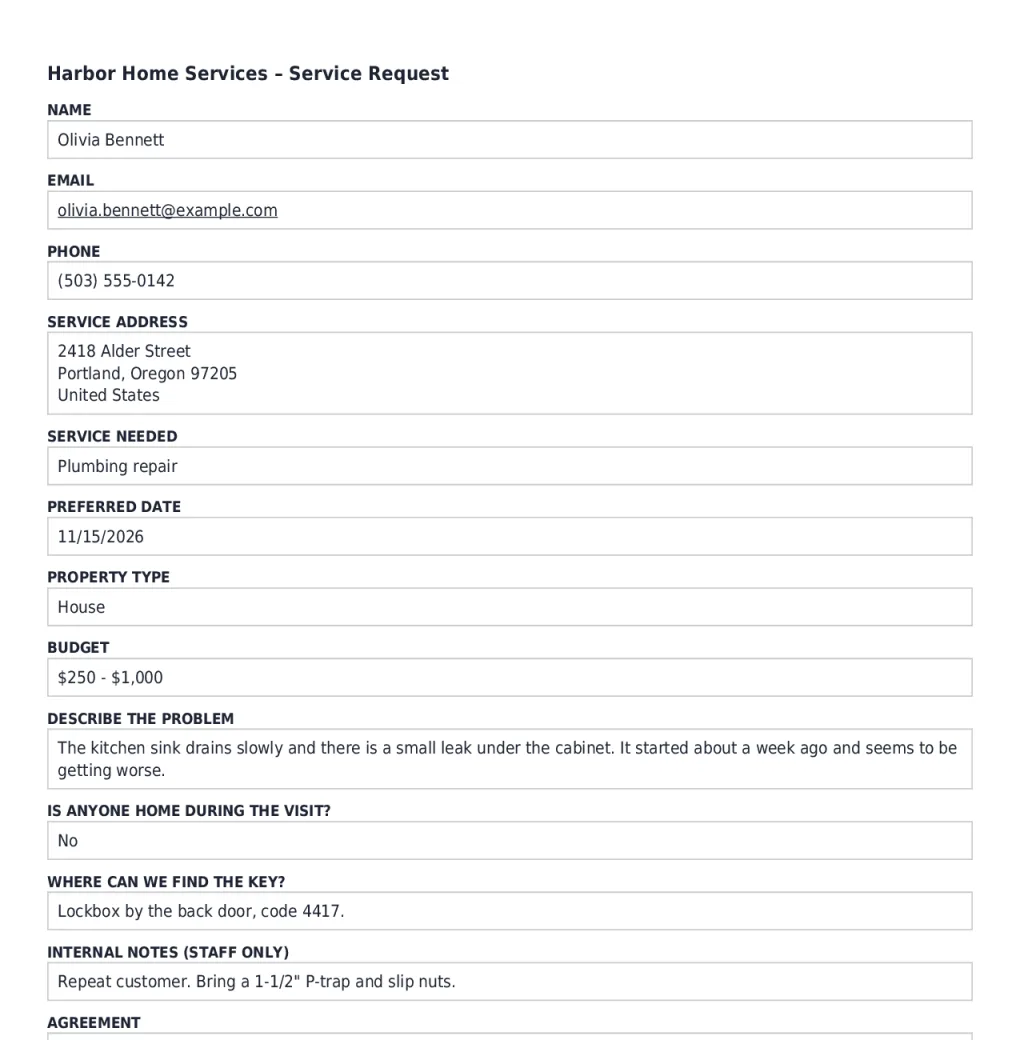
A home-services company sends each customer a PDF of their request. The template’s normal order printed all 13 fields in one long column, including staff-only notes. This layout fits the request on one page and adds an agreement page.
See the result: download the sample PDF, or compare before and after.
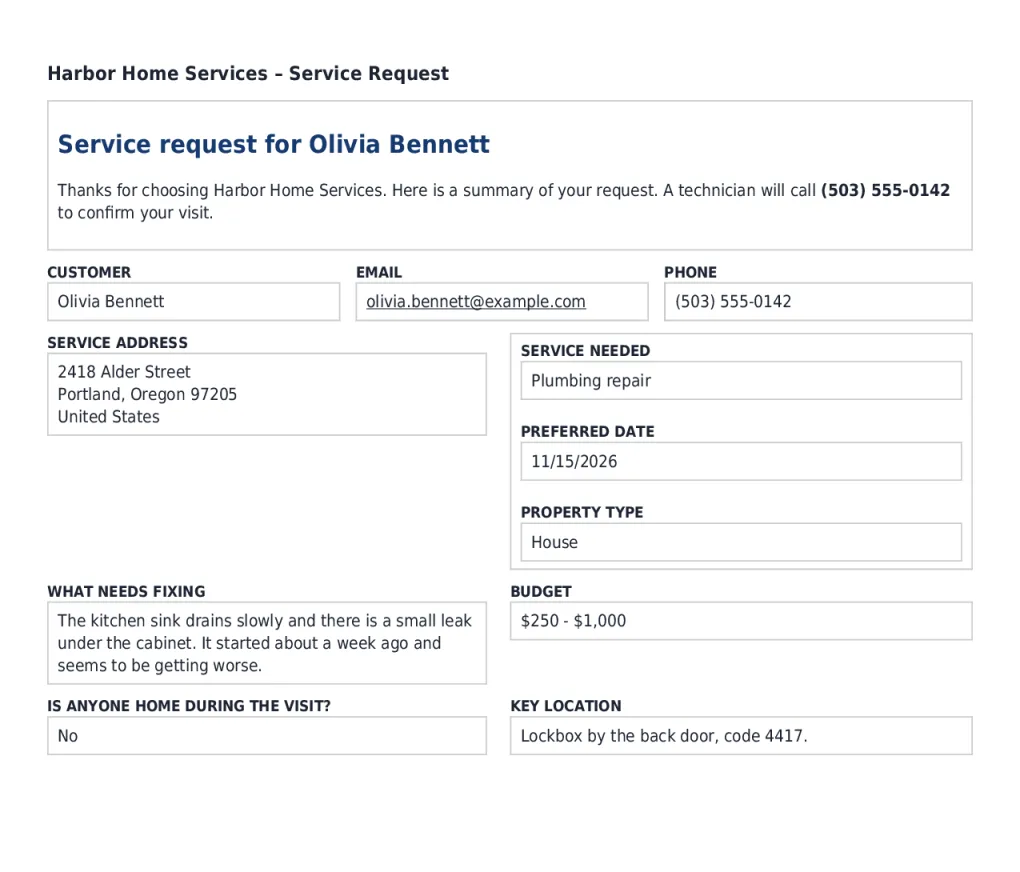
The layout, row by row
| Row | Items | How |
|---|---|---|
| 1 | Text block: Service request for {Name (First):1.3} {Name (Last):1.6} as Heading 2, then a thank-you line with the phone number in bold | Merge tags in a text block |
| 2 | Name (custom label Customer), Email, Phone | Three columns |
| 3 | Service address, and a stack of Service needed, Preferred date and Property type | A tall field beside a stack |
| 4 | Describe the problem (custom label What needs fixing, description In the customer’s own words.), Budget | Two columns |
| 5 | Is anyone home during the visit?, Where can we find the key? (custom label Key location) | Key location has a hide rule: hide when Is anyone home during the visit? is Yes |
| 6 | Page break | The agreement starts on page 2 |
| 7 | Text block: Service agreement heading, a paragraph with the service, date and budget as merge tags, and a bulleted list of terms | Text block |
| 8 | Agreement (consent field, label hidden), Name (custom label Signed by) | The same Name field used a second time |
Internal notes (staff only) isn’t in the layout, so it never reaches the customer. Staff can use a second PDF on the same form, without a layout, that prints everything.
Was this page helpful?
Thanks for letting us know.