
Progress bar
Updated November 9, 2026
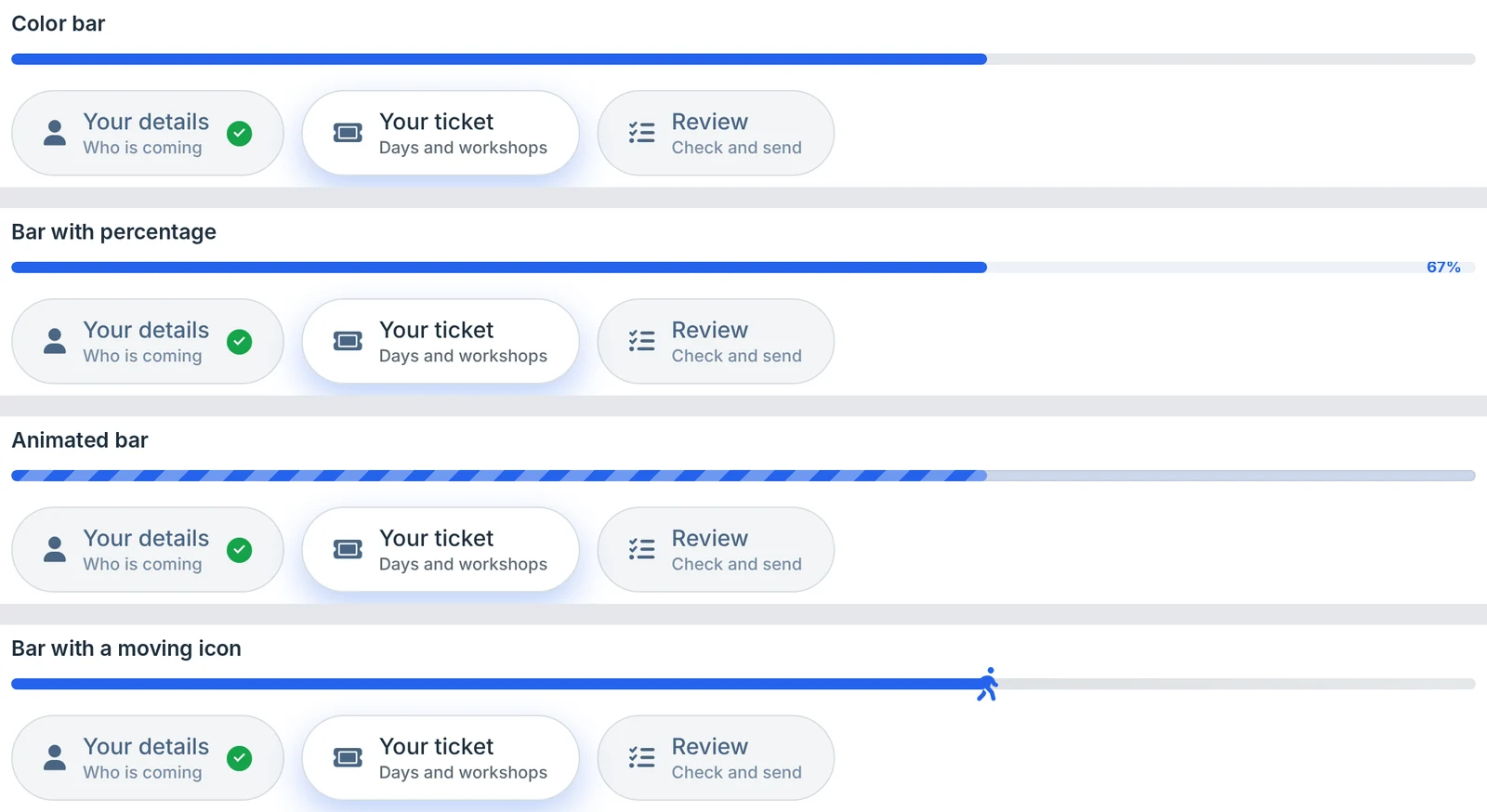
The progress bar sits above the steps and fills as visitors move through the form. Set it in the Progress bar card of Form Settings → KodaSteps.
| Setting | What it does |
|---|---|
| Style | No progress bar, Color bar (default), Bar with percentage, Animated bar (moving stripes) or Bar with a moving icon (an icon rides along the end of the bar). |
| Icon | For the moving icon style. Click to choose any Font Awesome 6 Free icon. |
| Thickness | 2 to 40 pixels. Default 8. |
| Icon size | 10 to 64 pixels. Default 24. |
| Color | The bar’s colour. |
| Fade into a second color | Makes the bar a gradient from Color to Second color. |
| Icon color | The moving icon’s colour. |
The bar shows the open step’s place among the steps that are showing. On step 2 of 4 it is half full; on the last step it is full. When conditional logic shows or hides a step, the bar adjusts.
A style preset or Use the form theme’s colors also sets the bar’s colours (see Colours and presets).
Was this page helpful?
Thanks for letting us know.