
Step progress and marks
Updated November 9, 2026
Show progress on each step
In the Moving between steps card, Show progress on each step adds a small indicator to every step in the step bar:
| Option | What shows |
|---|---|
| Nothing (default) | No indicator. |
| Answered count (3/5) | How many of the step’s questions are answered. It turns green when all are. |
| A dot that fills when the step is complete | An empty circle that fills green once every question on the step is answered. |
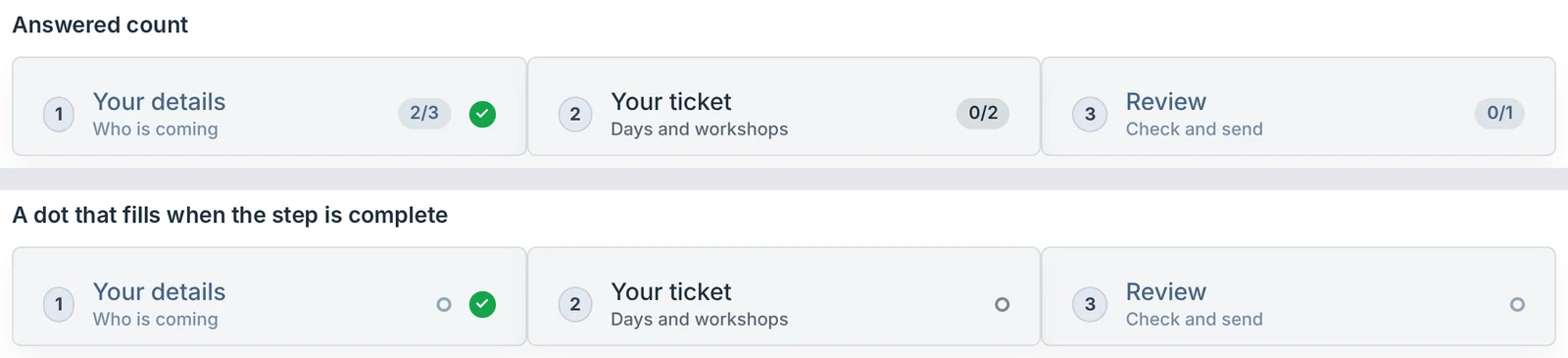
Both update as the visitor types. Hovering a step shows the count in words, for example 3 of 5 answered. A question counts as answered when any part of it is filled in. Fields hidden by conditional logic, and fields that don’t ask anything (HTML, Section, Hidden, CAPTCHA), aren’t counted. Optional questions are counted, so a step can be done before its count is full.
Finished and error marks
These always show, whatever the setting above:
- A green ✓ on each finished step other than the open one. A step is finished once it passes its check on Next (or is left with Next when the check is off).
- A red ! on each step with an error, after a failed check on Next or a failed submit. It goes when the step passes.
Was this page helpful?
Thanks for letting us know.