
Icons (Icon mode)
Updated November 10, 2026
Icon mode shows an icon on each card. Choose from about 2,000 Font Awesome Free icons, or use your own SVG.
Try it
This form is live on this page. (The form can’t be sent.)
Icons for each choice
Under each choice in Edit Choices:
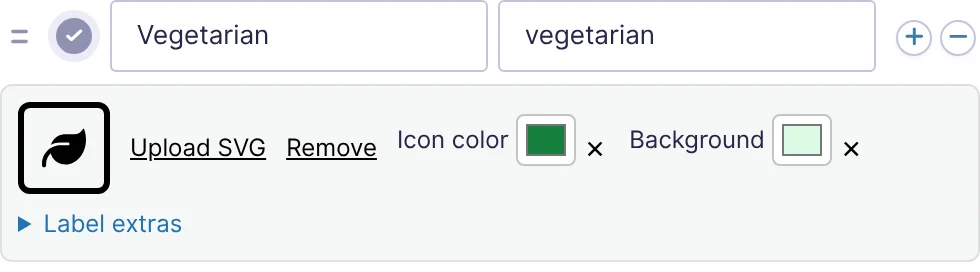
| Control | What it does |
|---|---|
| Icon | Opens the icon picker. |
| Upload SVG | Use an SVG file from the Media Library instead (see below). |
| Remove | Takes the icon or SVG off the choice. |
| Icon color | Optional. This choice’s icon color. Empty uses the field’s or style’s icon color. |
| Background | Optional. The color of the circle or square behind this choice’s icon. Empty uses the field’s or style’s. |
The icon picker
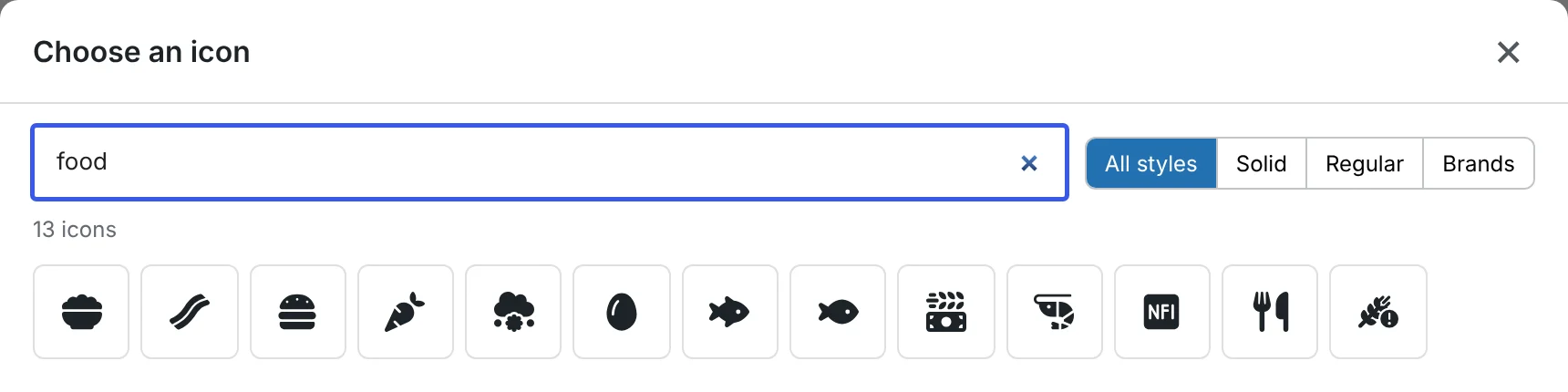
- Type in Search icons… to find icons by name, for example food, user or arrow.
- All styles, Solid, Regular and Brands narrow the list to one Font Awesome style.
- Click an icon to use it. Show more loads more results.
The icons are part of the plugin, so nothing is loaded from Font Awesome’s servers and they work offline.
Your own SVG icons
WordPress doesn’t allow SVG uploads by default. Install a plugin that adds SVG support, such as Safe SVG, then:
- Click Upload SVG under the choice.
- Choose or upload an
.svgfile in the Media Library.
KodaChoices cleans every SVG before showing it: scripts, event handlers and links to other sites are removed. The editor shows Custom SVG (cleaned for safety) under it. Choosing an SVG replaces the Font Awesome icon on that choice, and the other way round.
Single-color SVGs that use currentColor take the icon color you set, just like the built-in icons. Multi-color SVGs keep their own colors.
Icon size and background
The icon’s size, how much of its background it fills, and the background’s shape and color come from the style. The Icon tile preset puts each icon in a round bubble above the label. See Style settings.
Icons show on the entry screen in WordPress, but not in notifications, because most email programs don’t show SVG. Gravity PDF shows them.
Thanks for letting us know.