
Notifications and merge tags
Updated November 10, 2026
{all_fields}
In notifications that use {all_fields}, KodaChoices fields show the chosen pictures and swatches above their labels, in an email-safe layout.
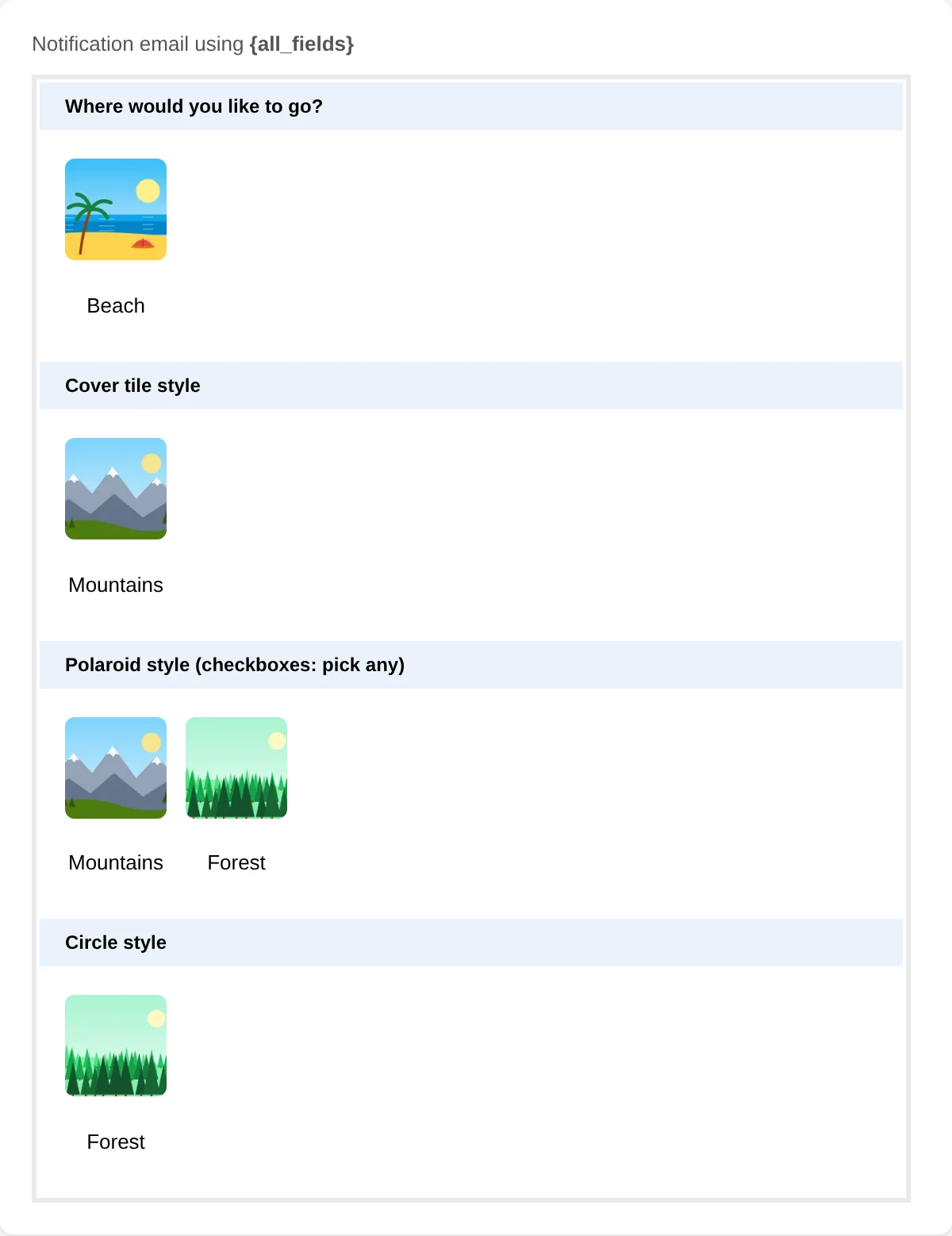
| Mode | In emails |
|---|---|
| Image | A small square picture (64 px) with the label |
| Swatch | A color dot with the label. Patterned swatches show as a dot in their first color. |
| Icon | The label only, because most email programs don’t show SVG icons |
| Button | The label only |
Quantities show as Coffee × 3, including in plain-text emails.
To send plain text for a field, untick Show pictures, swatches and icons in entries, notifications and PDFs in its KodaChoices section.
Merge tags
| Merge tag | Gives |
|---|---|
{Field:3} | The choice, as usual (with × 3 when quantities are on, and earlier answers filled into labels) |
{Field:3:kc_media} | The chosen pictures or swatches with their labels, like {all_fields} does |
{Field:3:kc_score} | The total score of the chosen choices (see Scores) |
:kc_media shows a small block, so put it on its own line rather than in the middle of a sentence.
These work in notifications, confirmations and anywhere Gravity Forms replaces merge tags.
Was this page helpful?
Thanks for letting us know.