
Limits and stock
Updated November 10, 2026
Limit how many times each choice can be picked across all entries: places in a session, tickets, rooms, stock. When a choice runs out it shows Sold out and can’t be chosen.
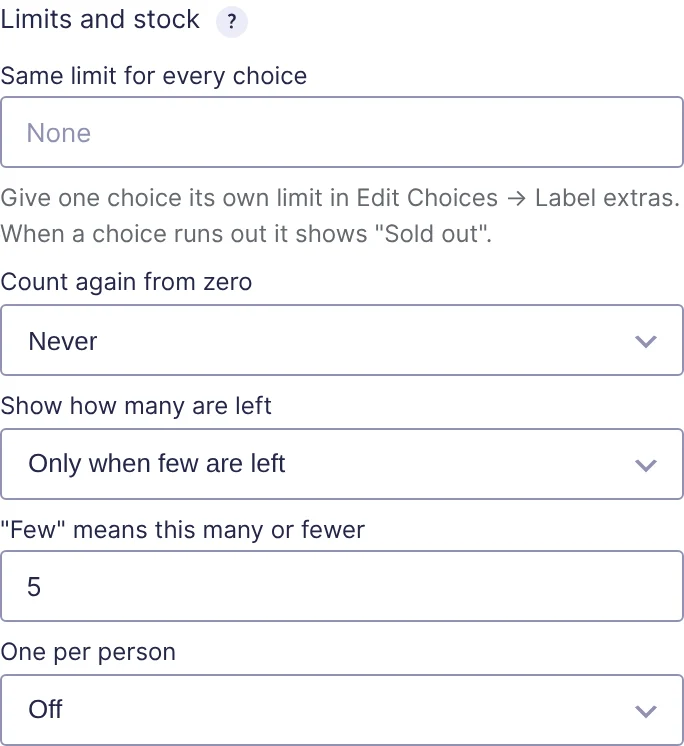
Set limits
In the field’s KodaChoices section, open Limits and stock:
| Setting | What it does |
|---|---|
| Same limit for every choice | One limit each choice gets. Empty for no limit. |
| Count again from zero | Never, Every day, Every week or Every month. See below. |
| Show how many are left | Never, Always, or Only when few are left. Shows 3 left on the card. |
| “Few” means this many or fewer | For Only when few are left. Default 5. |
| One per person | See One per person. |
To give one choice its own limit, open its Label extras and fill in Limit for this choice. It overrides the field’s limit for that choice. The box shows the field’s limit as a hint when it’s empty. A limit of 0 means the choice is sold out from the start.
What counts
- Every active entry of the form counts, whether or not it’s paid. Entries in the spam or trash don’t count, so deleting or trashing an entry frees its place.
- With quantities on, an entry choosing Red × 3 counts as 3.
- Only entries from the current period count when Count again from zero is set.
- Only this field counts. Two forms, or two fields, have separate limits.
What visitors see
| State | On the card |
|---|---|
| Plenty left | Nothing extra (or 12 left with Always). |
| Few left | 3 left, with Always or Only when few are left. |
| None left | A Sold out badge. The card is faded and can’t be chosen. |
With quantities on, the − / + stepper won’t go above what’s left.
When the form is sent, the limit is checked again. If someone else took the last place while the visitor was filling in the form, they see Sorry, “Midday” is sold out. Please choose another option. or Sorry, only 2 of “Midday” are left., and the form isn’t saved.
Limits that reset
Count again from zero makes a limit apply per day, week or month, for example 20 lunches a day:
| Option | Counts entries made |
|---|---|
| Every day | Since midnight today |
| Every week | Since midnight on the first day of this week |
| Every month | Since midnight on the 1st of this month |
Times use the site’s time zone (Settings → General → Timezone). Weeks start on the day set under Settings → General → Week Starts On.
Limits count entries made in each period, not dates chosen in the form. For “20 places on each date”, use one choice per date with its own limit.
To reopen a sold-out choice, raise its limit, or delete or trash entries that shouldn’t count.
Thanks for letting us know.